MFA Login Steps
FFIEC has phased in Multi-Factor Authentication (MFA) for CDR communications. Assistance with MFA and Authenticator setup is available with the FFIEC CDR Help Desk at (888) CDR-3111 or via e-mail at [email protected]. For issues related to Microsoft Entra and Authenticator, please contact your institution’s IT support.
|
To connect with FFIEC CDR with multi-factor authentication (MFA), please follow these steps.
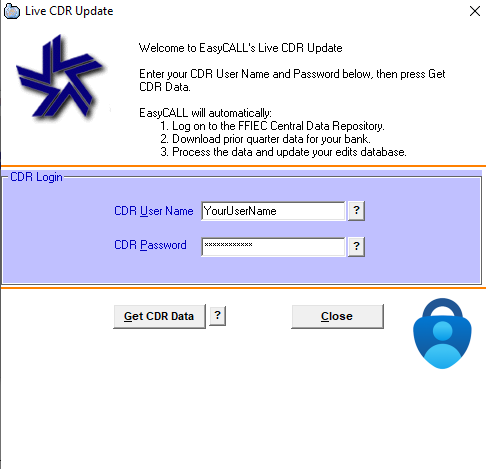
When prompted by EasyCall, enter your CDR username and password:
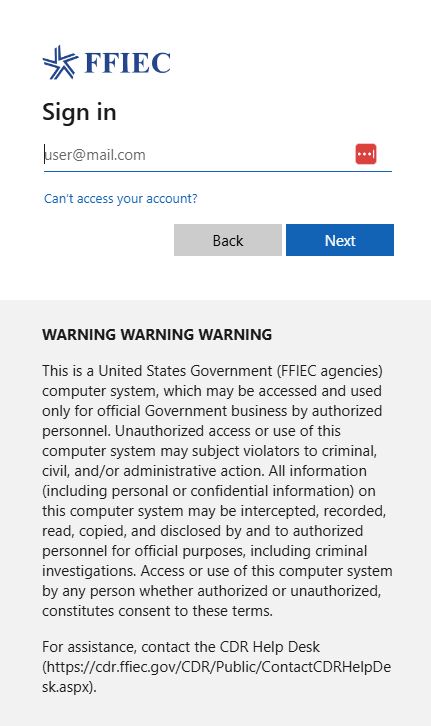
A browser will be launched and you should then enter or select your e-mail address. This is the e-mail address you have setup in Entra.
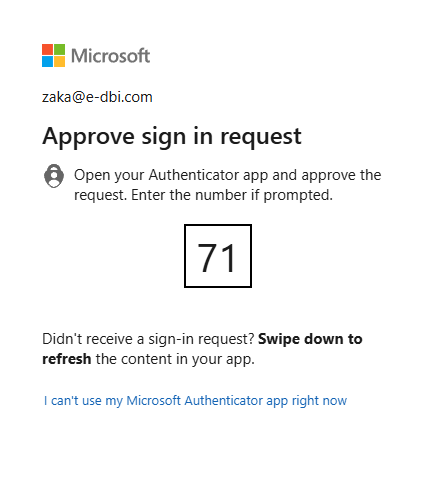
After entering or selecting your e-mail, you will then be prompted to enter a two-digit code into Microsoft Authenticator on your mobile device:
After which, authentication will be complete and you may close or minimize the browser: